Mouse Trap Mk2
It turned out that the original mouse trap wasn’t sensitive enough. Very small mice just didn’t trigger it. So I decided to improve the design.
The case of the trap is clear, so I thought I could have a beam of light going from one side to the other. When the mouse broke the beam, it would trigger a solenoid that would close the door. After some thought, I decided to use a white LED and LDR (so no lasers or signal modulation). The LED was quite bright (even though it was only driven by 5mA) but bright lights don’t seem to put the mice off. The LED illuminated the LDR much more than ambient light (except in bright sunlight - but that’s not the best conditions to catch mice, and even if it did need to work in sunlight the case could be covered to reduce the ambient light falling on the LDR).
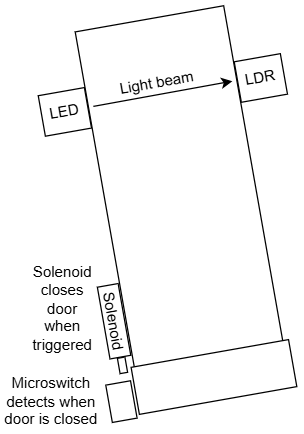
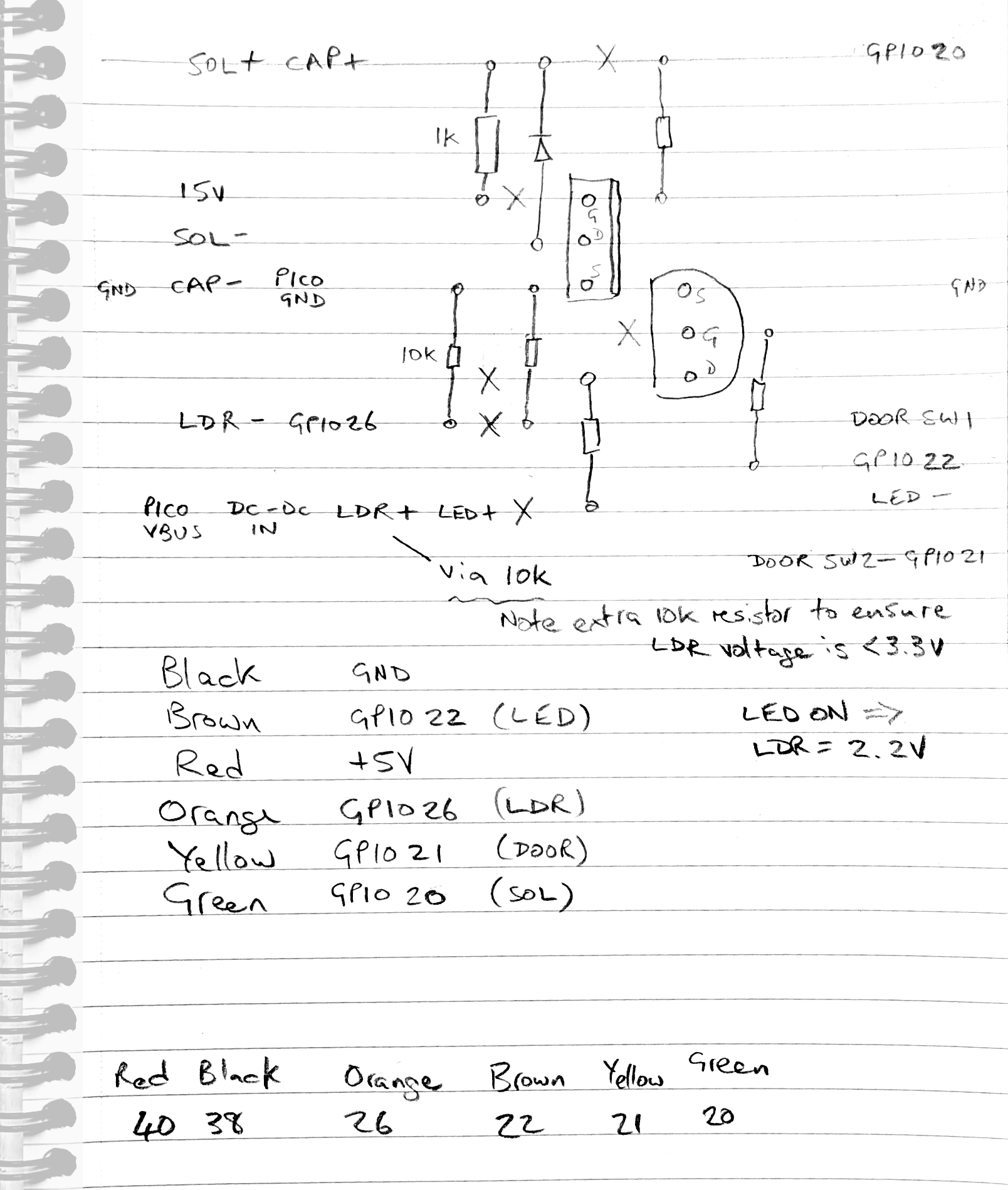
The design I came up with is as follows:
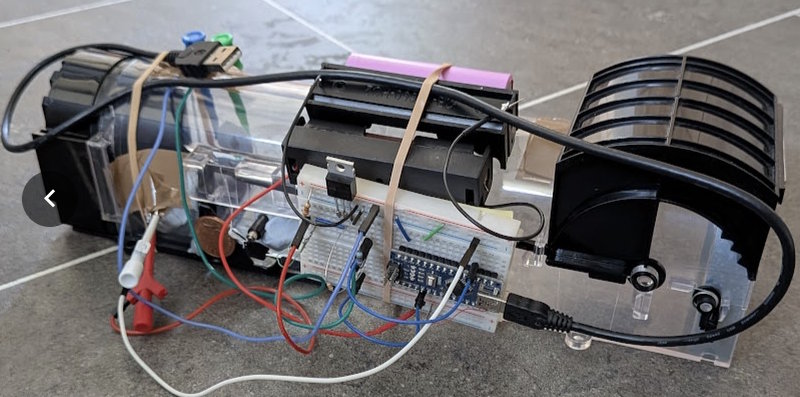
This was my first prototype (using an Arduino Nano):
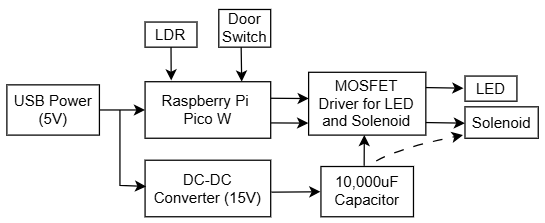
I decided to use a Raspberry Pi Pico W so that I could control it directly from Home Assistant. I thought about using an ESP32, but based on my experiments, the Pico W ADC was much more accurate - and stable.
Based on this, I came up with this design (in LTSpice):
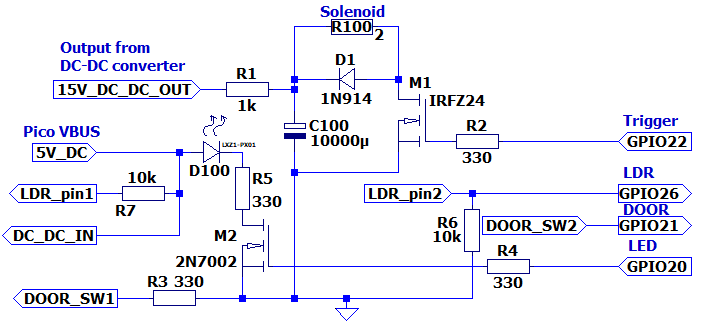
The reason for the capacitor and DC-DC conveter was because I bought a 3V solenoid (which needs 1.3A according to the manufacturer). In my tests the pull wasn’t strong enough, so I decided to overdrive it. The DC-DC converter allowed me to provide any voltage I wanted to (up to 40V). I used a 10,000uF 25V capacitor, which proved more than sufficient. I estimated that the activation time was in the order of about 10 - 20 ms, so the capacitor easily held enough charge. The manufacturer suggested not powering the solenoid for more than about 3 seconds - which I worked out was about 5 joules. A 10,000uF capacitor charged to 15V would hold about 1 joule, so well within the manufacturer’s limit.
I then worked out how to make this on a bit of Veroboard:
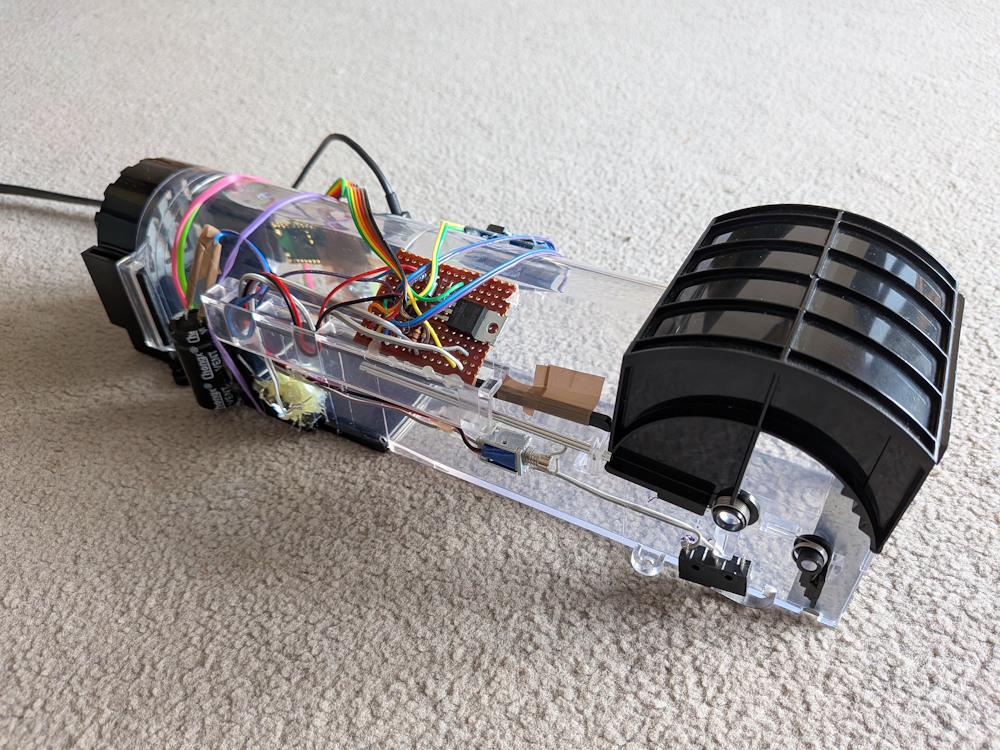
The finished version looked like this:
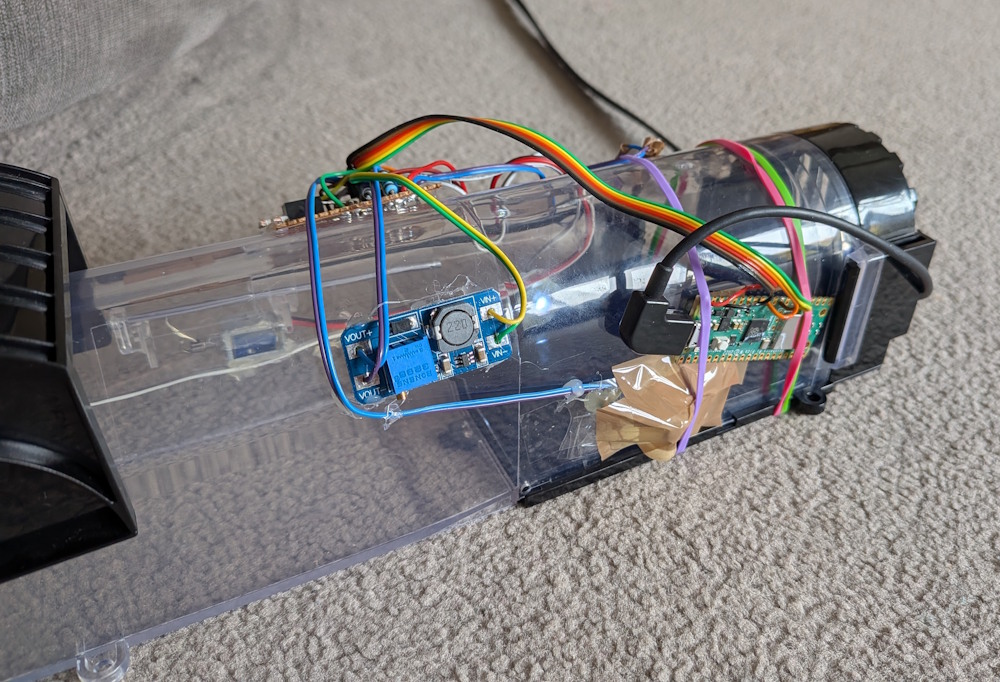
I programmed the Raspberry Pi Pico board with ESPHome. The Yaml for this was as follows:
 1switch:
 2  - platform: template
 3    id: MouseTrapEnable
 4    name: "Mouse Trap Enable"
 5    optimistic: True
 6  - platform: template
 7    id: MouseTrapTriggered
 8    name: "Mouse Trap Triggered"
 9    optimistic: True
10  - platform: template
11    id: MouseTrapTriggerDoor
12    name: "Mouse Trap Trigger Door"
13    turn_on_action:
14      then:
15        - lambda: |-
16            id(MouseTrapTriggerDoor).publish_state(true);
17            if (id(MouseTrapEnable).state) {
18              id(MouseTrapSolenoid).turn_on();
19            }
20        - delay: 1s
21        - switch.turn_off: MouseTrapTriggerDoor
22    turn_off_action:
23      then:
24        - lambda: 'id(MouseTrapTriggerDoor).publish_state(false);'
25  - platform: gpio
26    pin: GPIO22
27    id: MouseTrapLED
28    name: "Mouse Trap LED"
29  - platform: gpio
30    pin: GPIO20
31    id: MouseTrapSolenoid
32    on_turn_on:
33      then:
34        - delay: 100ms
35        - switch.turn_off: MouseTrapSolenoid
36        - switch.turn_on: MouseTrapTriggered
37binary_sensor:
38  - platform: gpio
39    pin:
40      number: GPIO21
41      inverted: true
42      mode:
43        input: true
44        pullup: true
45    id: MouseTrapDoor
46    name: "Mouse Trap Door"
47sensor:
48  - platform: adc
49    pin: GPIO26
50    id: MouseTrapLDRFast
51    update_interval: 50ms
52    on_value:
53      then:
54        - lambda: |-
55            if (id(MouseTrapEnable).state and id(MouseTrapLED).state and x < 1.9) {
56              id(MouseTrapSolenoid).turn_on();
57            }
58  - platform: template
59    id: MouseTrapLDR
60    name: "Mouse Trap LDR"
61    lambda: 'return id(MouseTrapLDRFast).state;'
62    update_interval: 30s
63    unit_of_measurement: V
64    filters:
65      - round: 3
On line 55 you can see that I compare the ADC value with 1.9. When the LED is on, the LDR voltage is about 2.22V. When something goes between the LED and LDR (i.e. a mouse) the value drops. I chose 1.9V as a suitably lower value. Normal daylight gives a reading of 0.6V - 1.5V. Note that in bright sunlight the LDR can read 2.3V or more, but:
- The trap should be in shaded area.
- Mice are nocturnal, so the best time to catch them is at night.
I had to modify the logging so that the logs weren’t full of ADC notifications. I did this by changing the logging section as follows:
1# Enable logging
2logger:
3  level: DEBUG
4  logs:
5    sensor: INFO
I used the alarm from the Mk1 mouse trap, but modified the automation:
 1alias: Mouse Caught
 2description: ""
 3triggers:
 4  - trigger: state
 5    entity_id:
 6      - switch.mouse_trap_2_mouse_trap_triggered
 7    to:
 8      - "on"
 9conditions: []
10actions:
11  - action: switch.turn_on
12    metadata: {}
13    target:
14      entity_id: switch.mouse_alarm_mouse_alarm
15    data: {}
16mode: single
I added the controls to a dashboard which looked like this:
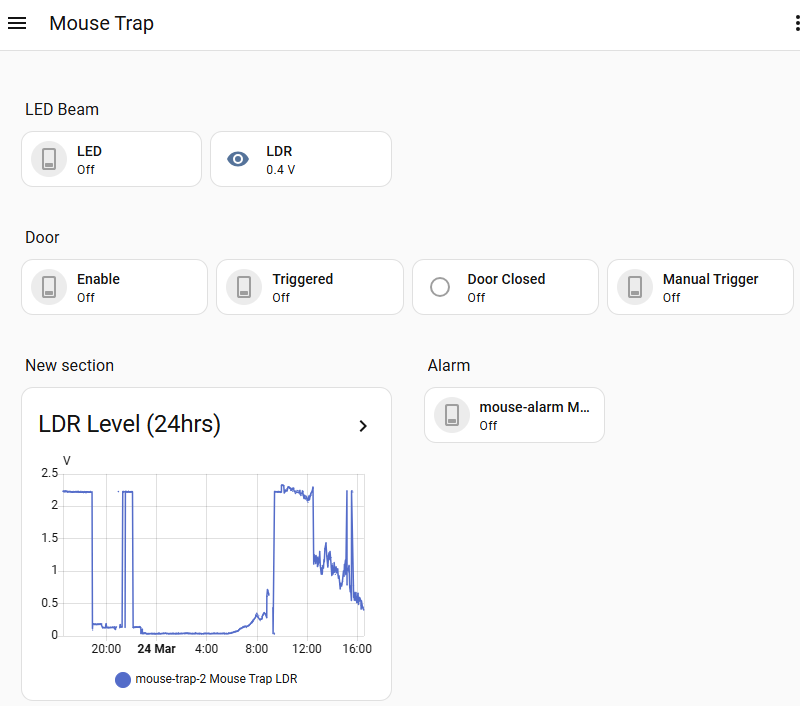
This all worked very well, and we managed to capture three mice (over three nights). They were quickly taken taken to their new home a couple of miles away without any undue stress to them.
You can see the mouse was very curious about the trap, but it didn’t put it off taking the food (which was two small bits of cracker, one in the middle and one at the back). The mice are facinating to watch, and I have a lot of respect for their stealth and resourcefulness, but they are no match for technology!