
So we thought we might have a mouse under the kitchen units…
This isn’t the first time we’ve had mice. And if you don’t think there are any in your house, well maybe it’s because you haven’t noticed them. They are very elusive, generally coming out in the middle of the night, and they are very shy!
I already had all the bits I needed to catch and re-home the mouse (you have to take it quite a long way - a mile or two - otherwise it will find it’s way back!). The central component is a humane mouse trap, which has a pressure sensitive pad and door that stops the mouse escaping. They typically cost about £10 (e.g. on Amazon). My advice - do a bit of research - don’t just get the cheapest one. They are very sensitive, but mice are very light, so the one I have had to be adjusted by putting a couple of coins on the pressure pad so that even the lightest mouse would trigger it.
The layout of the mouse trap components looked like this (not to scale):
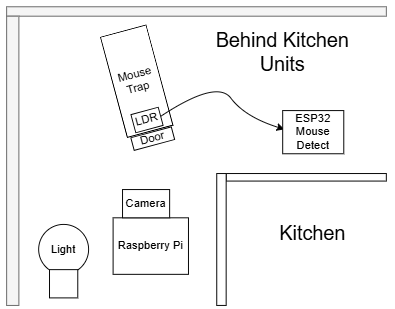
The light is always on. It doesn’t put the mouse off; if it was that easy, then you could just put LEDs where you wanted to keep the mice out! The LDR on the mouse detector is placed behind the door. When the door closes, light falls on the sensor and the value reported to Home Assistant goes up. I checked this by trial and error, and found a suitable threshold was 800. More on this later. The Raspberry Pi camera was there so that:
- I could see what was going on.
- My plan was to have some automatic detection (maybe using OpenCV). I haven’t done that yet.
There are three main components of the Home Assistant solution. These are shown below:
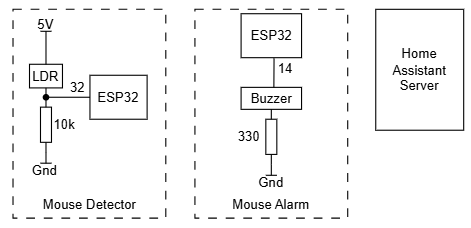
I used ESPHome. The code for the detector looked like this (after captive_portal):
| |
The code for the alarm looks like this:
| |
The idea is that it starts off quietly and then gets louder. That way, if it goes off in the middle of the night, it will wake me in a reasonable manner.
I wrote an automation to connect the detector up to the alarm:
| |
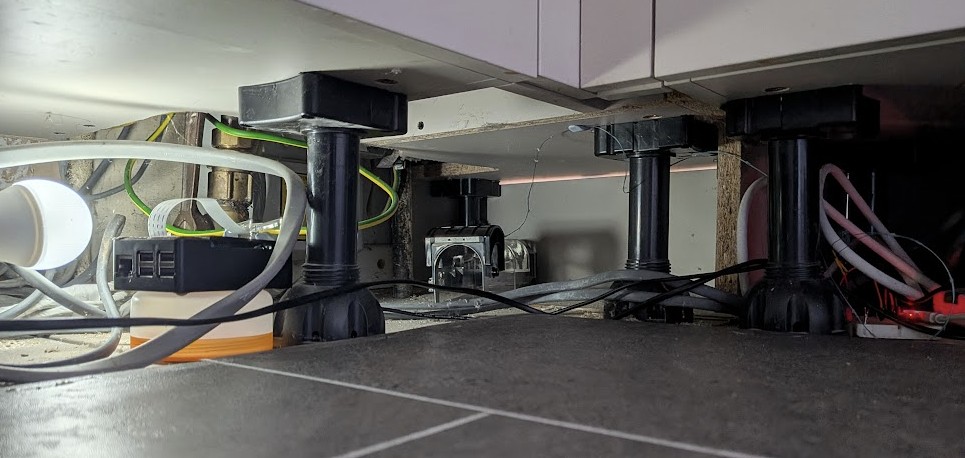
This is it set up just before I put the kick boards back in:
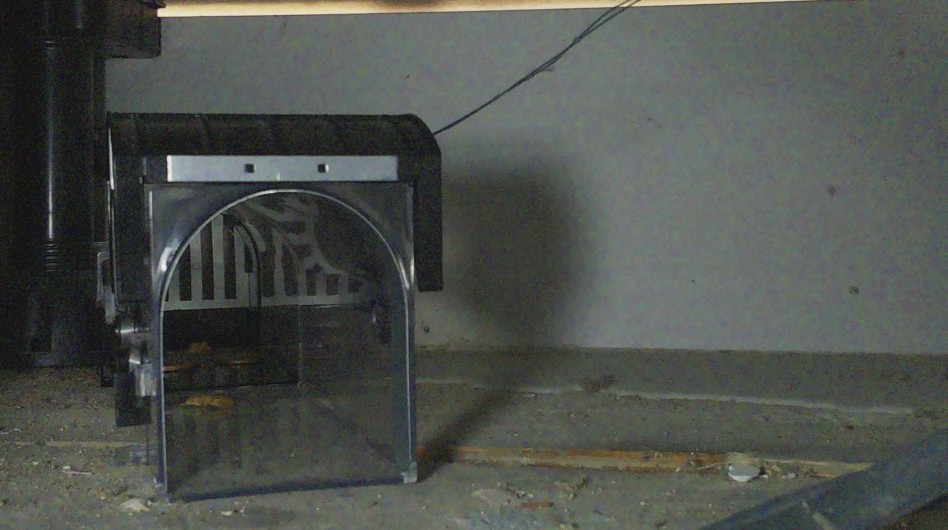
I then just had to wait… I could watch to see if anything was happening on the Raspberry Pi Camera (you can see the bits of cracker in the trap):
Once the alarm had gone off, I put the whole trap in a cardboard box and the mouse was taken on a car journey to it’s new home where it was released.